
Allavsoft Video Downloader Converter 3.28.8.9526 For MacOS 2026

Allavsoft Video Downloader Converter for MacOS is designed with simplicity and versatility in mind. The software allows you to download media from hundreds of video and audio sharing platforms, enabling users to save content directly to their Mac. Once downloaded, the files can be automatically converted to the most popular video or audio formats without any additional steps.
This professional video downloader and converter also helps to extract and download audio from online music videos or movies, as well as convert them to popular audio formats such as MP3, WMA, WAV, AAC, Apple Lossless M4A, AIFF, RA, FLAC, OGG, AU, etc.
Allavsoft Video Downloader Converter for MacOS is a powerful desktop utility designed for users who want to download online videos and audio and convert them to multiple formats for offline use. By combining downloading and conversion into a single application, Allavsoft eliminates the need for separate tools, making it a convenient solution for everyday media management on macOS.
In addition to downloading videos in their original format, Allavsoft also allows one-click downloading and conversion of downloaded videos to popular video formats such as MP4, AVI, WMV, MOV, MPEG-1, MPEG-2, VOB, ASF, RMVB, DV, TS, Apple ProRes, WebM, FLV, OGV, etc.
Main Features:
Online Video and Audio Download:
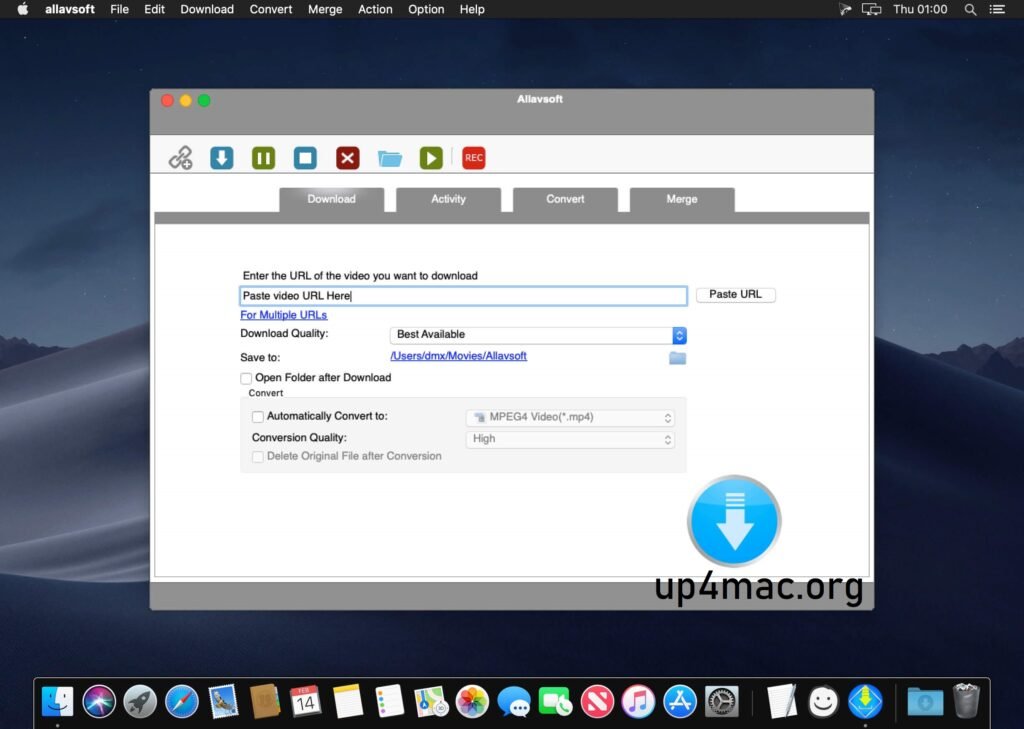
Allavsoft allows you to download videos and music from a wide range of streaming and media sharing websites. Simply copy and paste the file URL into the application to start the download.
High-Quality Video Downloads:
The software supports multiple resolutions, including standard definition, HD, Full HD, and even 4K (if available). Users can choose their desired quality before downloading to optimize file size and clarity.
Wide Format Conversion Support:
Allavsoft converts downloaded files to numerous formats, including:
- Video formats: MP4, MOV, AVI, MKV, WMV, MPEG, WebM, and more
- Audio formats: MP3, M4A, AAC, WAV, FLAC, OGG, and Apple Lossless
This ensures compatibility with Mac, iPhone, iPad, Android devices, smart TVs, and media players.
Automatic Download and Conversion:
One of Allavsoft Video Downloader Converter for MacOS standout features is its ability to automatically convert files after downloading. Users select an output format once, and the application handles the rest.
Batch Download:
Multiple URLs can be added simultaneously, enabling batch download and conversion. This feature is especially useful for playlists, albums, or large video collections.
Audio Extraction:
Allavsoft can extract high-quality audio from video files, making it ideal for creating music libraries, podcasts, or offline audio tracks.
Pause and Resume Downloads:
Downloads can be paused and resumed at any time, which is helpful for large files or unstable internet connections.
What’s New?
The latest updates to Allavsoft Video Downloader Converter for MacOS focus on improving stability, compatibility, and overall performance. Rather than introducing drastic visual changes, the recent versions refine the download and conversion engine to adapt to frequent changes in streaming platforms.
Recent Improvements:
- Improved compatibility with the most popular video and audio streaming websites
- Improved download reliability for HD, Full HD, and 4K content
- Faster and more stable batch downloading and conversion
- Better handling of interrupted downloads with improved support for resuming downloads
- Updated internal codecs for smoother video and audio conversions
- Improved compatibility with the latest versions of macOS and Apple Silicon-based Macs
Performance and Stability Improvements:
The recent updates focus on internal improvements, ensuring smoother downloads even for large files and playlists. Conversion processes are now more efficient, reducing errors and improving output consistency across supported formats.
Ongoing Maintenance Updates:
Allavsoft releases incremental updates to maintain functionality as online platforms evolve. These updates ensure long-term usability without requiring significant changes to the user’s workflow.
You may also Download:
System Requirements:
- macOS: Compatible with modern and older macOS versions.
- Processor: Intel or Apple Silicon Mac.
- RAM: Minimum 2 GB (4 GB or more recommended).
- Storage: Sufficient free disk space for downloaded media.
Pros and Cons:
Pros:
- Supports downloads from various online platforms.
- Combines downloading and conversion in a single tool.
- Supports HD and 4K video downloads.
- Batch processing saves time.
- Simple and intuitive interface.
Cons:
- The user interface looks somewhat outdated.
- Limited advanced customization for encoding settings.
- The free trial version has restrictions.
Batch Downloading and Conversion:
Allavsoft lets you add multiple video URLs and download and convert several videos simultaneously.
When downloading web videos, this excellent software automatically detects ads and avoids downloading them.
Previewing and Playing Downloaded Videos:
Allavsoft includes a video player to preview and play downloaded videos.
Resuming Downloads:
You can pause and resume downloads at any time. This is very convenient.
Post-Download Actions:
You can configure your computer to automatically shut down once all downloads are complete. This feature is useful if you have many videos and want to leave Windows on during the process.
Conclusion:
Allavsoft stands out for its broad compatibility, allowing you to download videos and music from popular platforms such as YouTube, Spotify, Facebook, Vimeo, Twitter, eHow, Dailymotion, Viki, Break, Metacafe, BlipTV, Crunchyroll, Deezer, SoundCloud, and many more. With over 1,000 compatible platforms, this application is an invaluable resource for downloading and enjoying a wide variety of multimedia content on your Mac.
Homepage:https://up4mac.org/
Leave a Reply