
iTubeGo YouTube Downloader 10.14.0Multilingual for MacOS

iTubeGo for Mac is a cross-platform video downloader that allows users to save videos, playlists, channels, subtitles, and audio files directly to their computer. It supports a wide range of websites and offers high-resolution downloads, including HD, 4K, and even 8K when available.
With the rapid growth of online video platforms, many users are looking for reliable tools to download videos for offline viewing, content creation, or personal archiving. iTubeGo YouTube Downloader is a powerful desktop application designed to easily download videos and audio from YouTube and thousands of other websites. It combines high-speed downloads, format conversion, and advanced customization into a single solution.
iTubeGo HD Video Downloader, a powerful HD video downloader for YouTube, Dailymotion, Facebook, and other streaming sites, offers speeds up to 10 times faster for downloading high-quality videos in bulk.
The software is ideal for users who want fast downloads, flexible output formats, and offline access to online media content without needing an internet connection after downloading.
Key Features:
1. Compatibility with Thousands of Websites
iTubeGo isn’t limited to YouTube. It works with thousands of video and audio hosting platforms, making it a versatile downloader for various types of content.
2. High-Quality Video Downloads
iTubeGo for Mac allows you to download videos in multiple resolutions, from standard definition to Full HD, 4K, and 8K. Users can choose the quality that best suits their storage and playback needs.
3. Multiple Output Formats
iTubeGo allows conversion to various formats such as MP4, MP3, MOV, AVI, M4A, and WAV. This makes downloaded files compatible with smartphones, tablets, media players, and editing software.
4. Download Playlists and Channels
Instead of downloading videos one by one, users can download entire playlists or channels in a single process, saving time and effort.
5. Audio Extraction
Users can extract high-quality audio from their videos, which is useful for music, podcasts, lectures, and voice-over content.
6. Subtitle Download Support
When available, iTubeGo can download subtitles along with the videos, either embedded or as separate subtitle files.
7. Built-in Browser
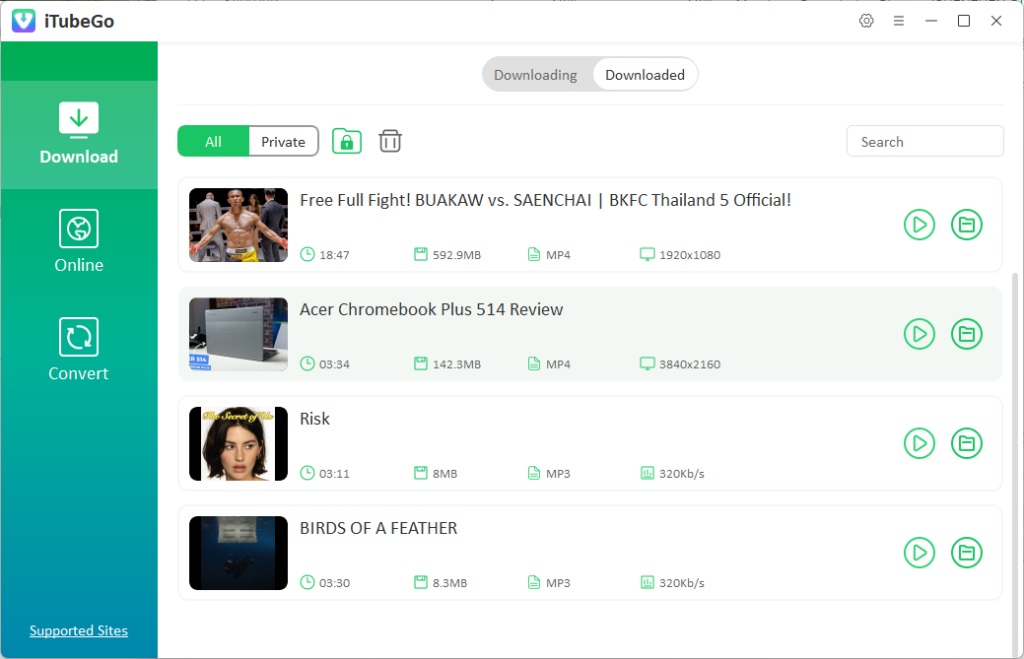
The application includes a built-in browser that allows users to search for and download content directly from the software, eliminating the need to copy and paste links.
8. High Download Speed
iTubeGo uses advanced acceleration technology to deliver fast and stable download speeds, even with large files.
9. Private Mode
Some versions offer a private folder feature that allows users to password-protect downloaded files for added privacy.
What’s New?
- Improved download speed for single and batch downloads.
- Enhanced playlist and channel detection for smoother bulk downloads.
- Improved support for high-resolution videos, including 4K and 8K.
- Improved audio extraction quality for MP3 and other formats.
- Greater compatibility with more video sharing websites.
- Bug fixes and stability improvements for better overall performance.
You may also Download:
Cisdem VideoPaw
System Requirements:
- Operating System: macOS 10.10 or later.
- Processor: Intel or Apple Silicon (M1/M2 compatible).
- RAM: 2 GB or more
- Free Disk Space: 200 MB minimum (additional space for downloads).
Pros and Cons:
Pros:
- Compatible with thousands of websites.
- Download videos in up to 8K quality.
- Allows batch downloads, playlists, and channels.
- Extracts high-quality audio.
- Built-in browser for added convenience.
- Simple and modern interface.
Cons:
- The free version is very limited.
- Occasional download errors with restricted videos.
- Some antivirus programs may block the installer.
- Requires a paid license to access all features.
How to Download?
- Download the iTubeGo for Mac installation file.
- Open the downloaded file and drag iTubeGo to the Applications folder.
- Open the Applications folder and launch iTubeGo.
- If prompted, grant permissions in your Security and Privacy settings.
Homepage:https://up4mac.org/
Leave a Reply